PRECISION SPEED GUIDANCE
SpeedGuide
Constant speed.
Visual precision.
Every time.
Version 1.0 • 4.97 m LED strip • 0.1–1.4 m/s
Constant speed.
Visual precision.
Every time.
Version 1.0 • 4.97 m LED strip • 0.1–1.4 m/s
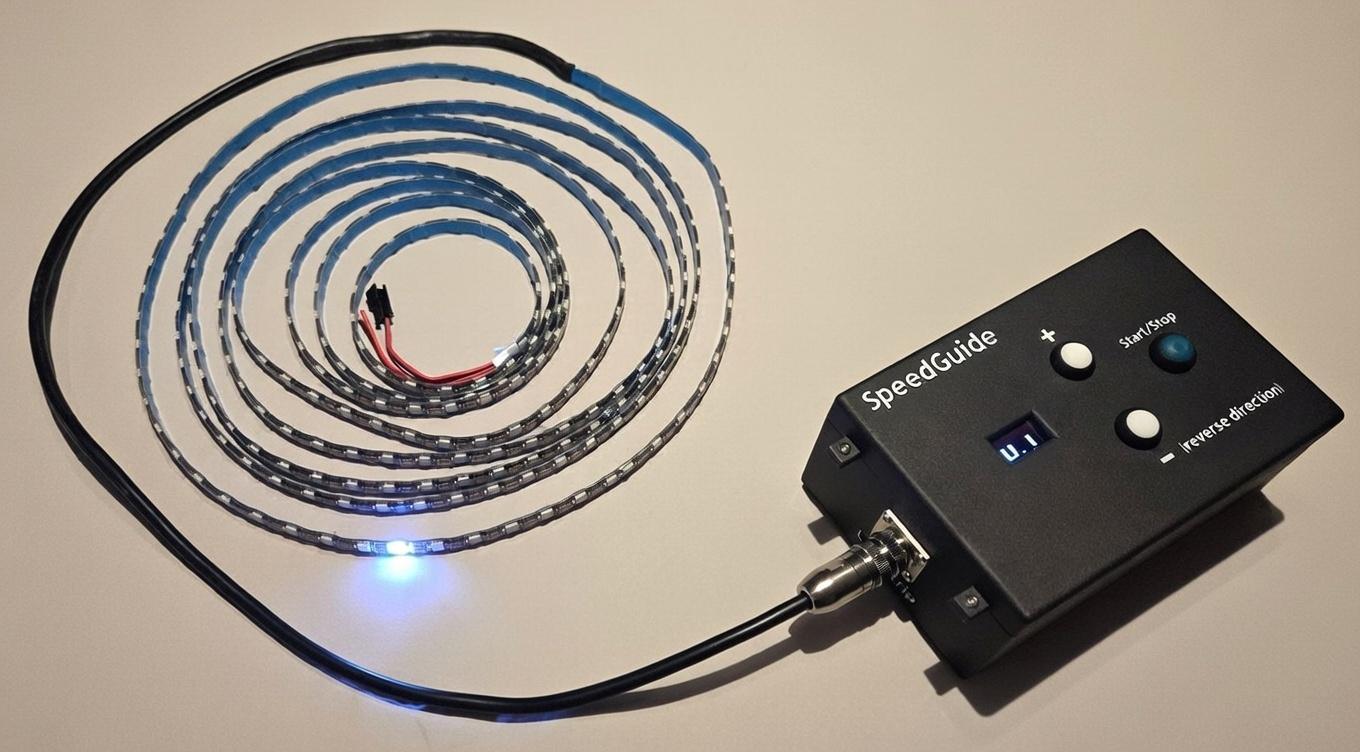
Welcome to SpeedGuide – an innovative and portable device for precision movement guidance.
SpeedGuide is a test tool that uses an addressable LED strip to create a moving light point with constant and adjustable speed. By visually following the light point, the user can ensure accurate speed throughout the test distance, without the variations that occur with traditional methods.
SpeedGuide is designed to simplify and improve tests where constant speed is critical, e.g. stability over thresholds, obstacles or inclines. It is particularly useful in lab and certification environments for medical devices, and rehabilitation aid. With a range of 4.97 meters and speeds from 0.1 to 1.4 m/s.
SpeedGuide could also be used directly in rehabilitation settings for patient gait training at constant speeds, offering a motivating and precise visual pacing aid.
Clause 9.4.2.4.3 – stability for medical carts over threshold at 0.8 m/s.
Stability for prams over kerbs (1.4 m/s).
Suitable for certification labs, manufacturers and research institutions in medical technology, mobility and rehabilitation.
Traditional techniques such as stopwatch with tape measure or photocells at start/stop only measure average speed, which can hide variations (acceleration/deceleration) that affect the test result.
Visual guidance guarantees constant speed throughout the entire test distance.
Increases precision and reduces the risk of incorrect certification results.
Battery or USB powered. No fixed installation required. Ideal for lab and field use.
The moving light point provides immediate, intuitive feedback for the test subject or patient.
SpeedGuide is easy to use: Adjust speed with buttons, start the movement and follow the light point. The OLED display shows current speed in m/s.
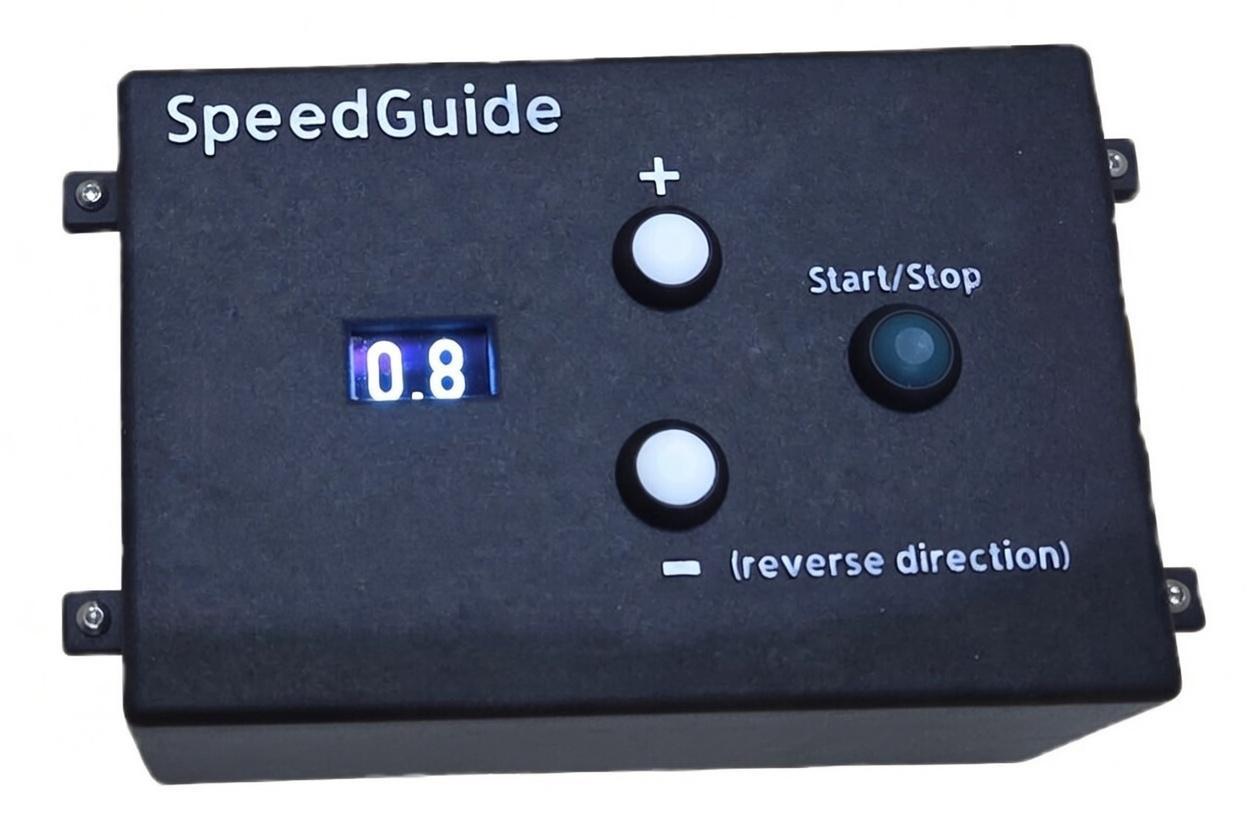
FRONT VIEW
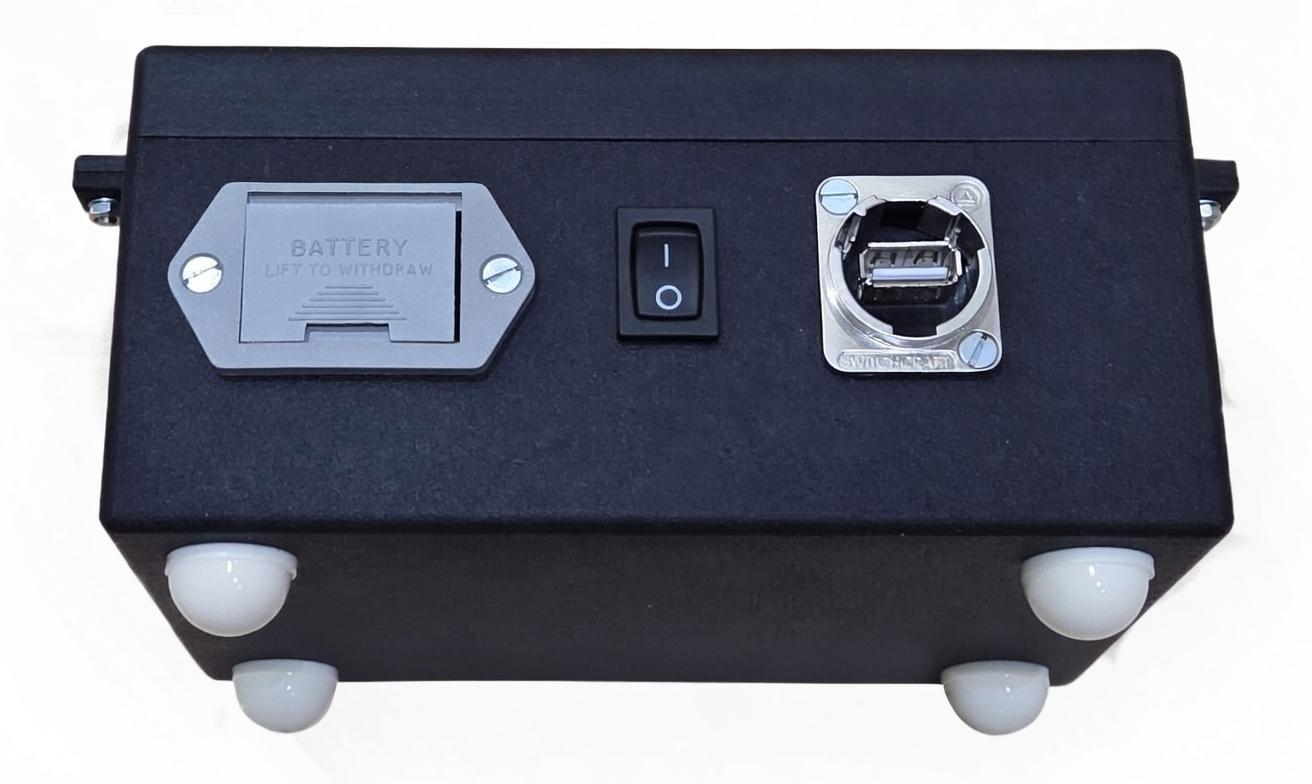
REAR VIEW
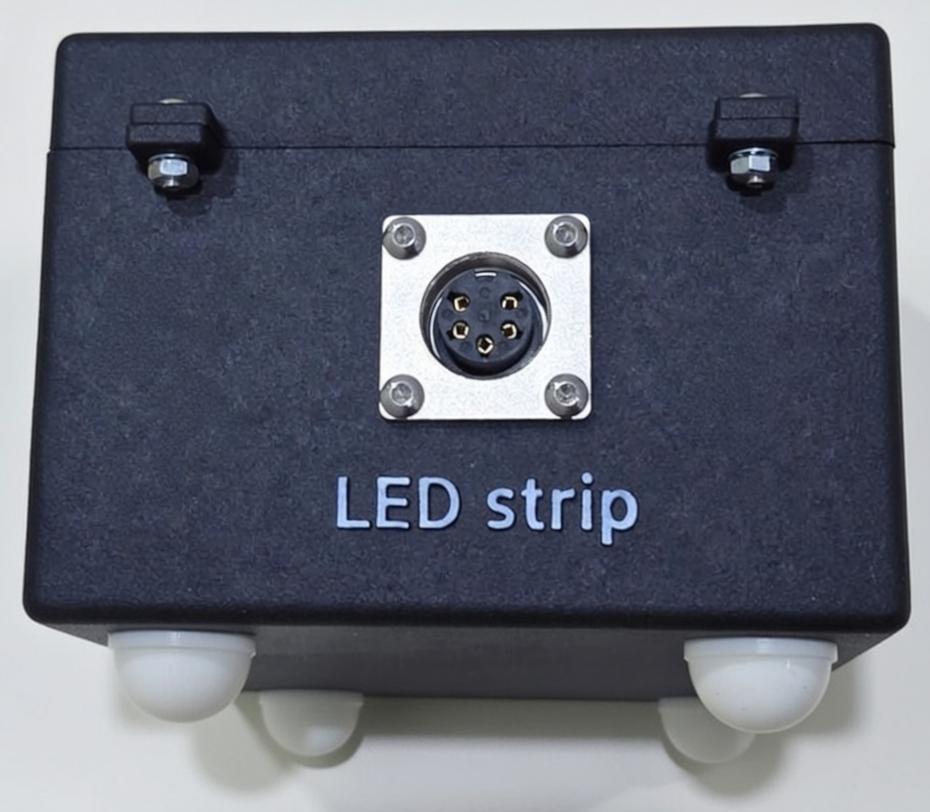
SIDE VIEW — LED STRIP CONNECTOR
COMPLETE SYSTEM
| # | Control / Component | Description |
|---|---|---|
| 1 | + button | Increase speed setting when LED is stopped. |
| 2 | Start/Stop (blue) | Starts or stops the moving LED point. |
| 3 | – (reverse direction) | Decrease speed setting when LED is stopped. This button also changes the direction when the LED point is moving. |
| 4 | Display (OLED) | Shows speed in m/s. When the 9V battery voltage is low the message “Low battery” is shown. |
| 5 | 9V battery holder | Compartment for 9V battery. If On/Off switch is On and battery voltage falls below 6.5 V the message “LOW BATTERY!” will be shown in the display. |
| 6 | On/Off switch | Starts the SpeedGuide when powered by battery. When it is powered through the USB port it starts automatically. Recommended to have the switch off when powered through USB port. |
| 7 | USB port | Power the SpeedGuide through the USB port with a charger with at least 5 V, 1 A capability. The SpeedGuide can then be used without battery. USB port is also used for programming the internal microcontroller. |
| 8 | LED strip connector | Connects the addressable LED strip (4.97 m / 300 LEDs) to the control unit. |
Real product demonstration and interactive simulation of the moving light point.
SpeedGuide guiding constant speed during a real test.
This is a visual simulation. Real SpeedGuide uses an addressable LED strip with ±0.01 m/s accuracy.
Version 1.0 (2026-01-26)
Download the complete official manual for installation, operation and safety information.
Download SpeedGuide Manual (PDF)7 pages • Free • Version 1.0 (2026-01-26)